Showing posts with label green screen. Show all posts

Wednesday, February 23, 2022

More DIY Green Screens

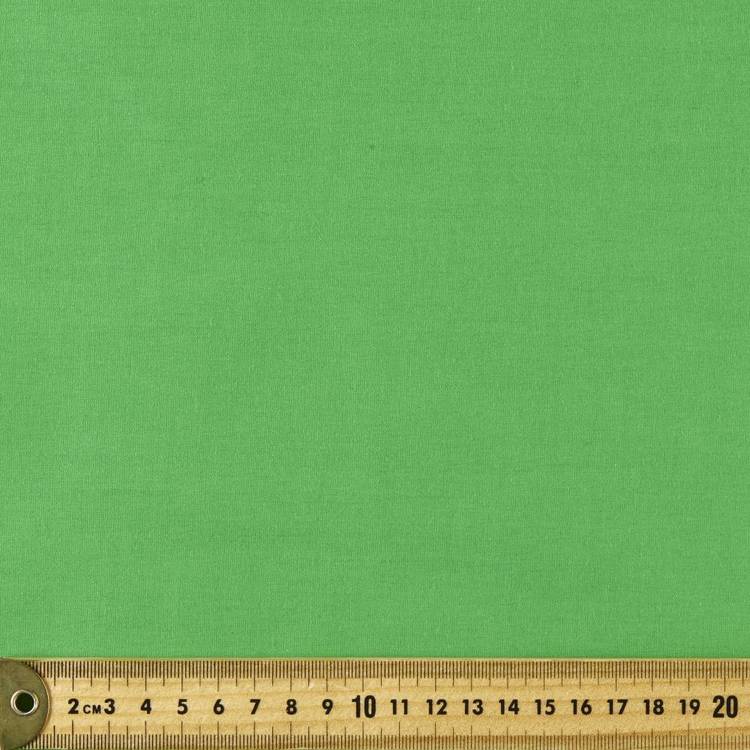
Found myself out of town and in need of a green screen for a Zoom background presenting to students. So I purchased 2 m of 1,470 mm Pongee Lining Fabric in lime color ($8 per m). This was held up with clothes pegs, and worked well.

Also I tried "PPE Moulded Fabric". This is far stiffer, harder to hang, and the color did not work as well. This is a non-woven polyester fabric similar to that used for reusable supermarket bags. I am not sure about the claim it is suitable for Personal Protective Equipment face masks.

Sunday, November 28, 2021

Self Inflating Blue Screen for $60

Self Inflating Blue Screen
as Background
Self Inflating Blue Screen
with background in Zoom
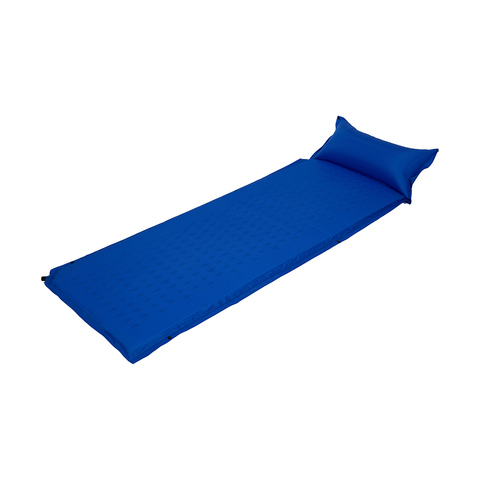
Still on my quest for a low cost, lightweight, movable background screen for video conferences, I am now trying one which is self inflating. Preparing for a camping trip, I got out the sleeping mats and was going to show to someone on Zoom. I then realized that the mat is rigid enough to stand up by itself and is similar in color to a chroma-key blue screen. 

Single Self Inflating Mattress
I have two mats with clips along the sides to make a double. So I joined them, and stood them up behind me, set Zoom to use blue, rather than green, screen and it worked. The dimpled pattern on the mats, and the join between them, are hidden by Zoom's algorithm, and the blue background is replaced with whatever image I choose.

These are two Single Self Inflating Mattresses ($19 each) from a local store. They are 650 x 1900 mm each, and three would be needed for a practical screen (1,950 mm wide), which would stand up by itself.

Tuesday, October 19, 2021

Fluorescent Green Screen Version 3

Unhappy with the finish with fluorescent poster paint on my green screen for a virtual Zoom background, I decided to go back to using wall paint. Previously I did not find anyone in a paint shop in Canberra who knew what "chroma key green" was. But Bunnings Belconnen in Canberra had no problem. They selected "Chroma Key Green" from the Dulux corporate colors library, and made from a 250 ml sample pot of British Paints Extra Deep (tinted DD 0Y 43 SS 0Y 5). For the other side of the screen I used Taubmans "Hi-C Blue" (no mixing required).

Sunday, October 3, 2021

Fluorescent Green Screen for Virtual Zoom Background

Fluorescent Green Screen
I have repainted my Folding Green Screen with bright green fluorescent paint, for better virtual background contrast. Due to COVID-19 restrictions, I was unable to get to the hardware store for paint, so used poster paint instead.  

Image added to green screen
The poster paint is half the price, but produced a less smooth finish than the interior water based house paint I used previously. Fortunately the imperfections don't show up when the virtual background is added. The paint looks much brighter, and yellower, than it does in the photograph. Dark lines where the panels of the folding screen join are masked by Zoom's algorithm, but any light shining though the gaps show up. 

Thursday, September 2, 2021

Acoustic Pinboard as Green Screen

Before Canberra's lock-down I noticed a well known hardware store had acoustic pin-boards in lime green. I purchased one 1200 x 800 mm ($30) in lime green and found it worked very well as a green screen for video. The board is 9mm thick polyester, and is strong enough to be propped up without needing any framework. But it is a bit small so I have it propped up behind my monitor in my home webinar studio, to provide some sound absorption. 

The boards are also available 2420 x 1220 mm ($84.50) which would be better for a screen, but unfortunately they are not colored. I have contacted the supplier to suggest they make bigger panels in green.

Saturday, July 24, 2021

Lighting for Video Conferences

6in. Tabletop Selfie Ring Light

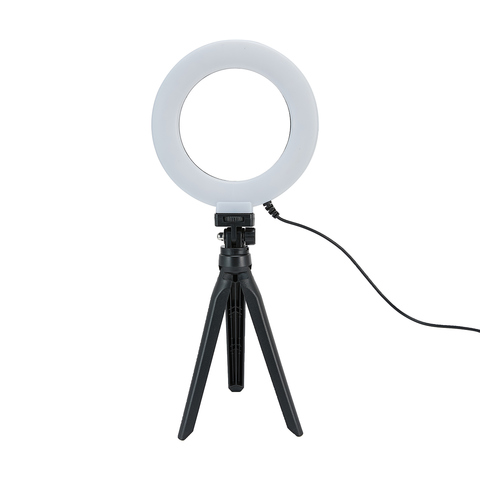
 When using a virtual background with video conferencing, it is important to have even lighting, otherwise part of you may be chopped off, or the real background visible. Any office lamp will do, but there are ring lights available specially for this purpose. The ring lights have a circle of LED lights,and are designed to go around the camera lens.  I find it too distracting to be looking directly into the light, so instead have it at 45% pointing at the wall, behind my computer screen. This reflects a soft light onto the background.

Power-bank with light
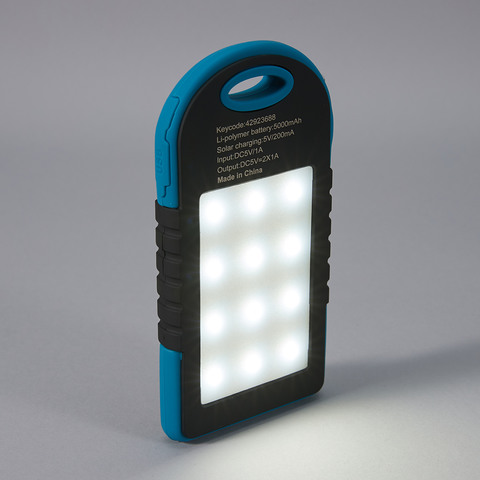
Ring lights are available in different sizes with clamps, and stands. Some also have a clamp for a smart phone (and are called "selfie lights). The one I have has a desktop tripod and can be rotated and swiveled. It cost $8 from a local store and plugs into a USB power supply. For portable use, away from mains power, I also have a power-bank, with a built in flood light and USB sockets for ring lights ($19 from a local store). 

Telephoto Lens for Closeup in Zoom Meetings

2x telephoto lens & virtual background in Zoom. 
Tom Worthington, 24 July 2021 CC BY
Web cameras tend to have a wider field of view, than needed for one person attending a video conference. This makes the camera easy to set up, but shows more of the background and less of the speaker. My Logitech C615 webcam has a 74-degree field of view. So I purchased a 2x Telephoto clip on lens.

The clip-on lens is designed for use with a smartphone camera, but works well with the camera in a laptop or stand-alone web camera. The lens is screwed onto what looks like a clothes peg, which is clipped over the camera. It takes some effort to position, but is then held firmly.

198 Degree Fish-eye Lens, 
Tom Worthington,
24 July 2021, CC BY
With Polarizing Filter, 
Tom Worthington
24 July 2021, CC BY
I purchased a kit*, which came with fish-eye, wide, and macro lenses, as well as a polarizing filter. The fish-eye or wide-angle lenses might be of use for showing the general view of a room, but distort the image. The polarizing filter is useful for removing reflections from my glasses, however it can't be used in conjunction with the telephoto lens.

Without telephoto lens.
Tom Worthington,
24 July 2021 CC BY

With 2x Telephoto Lens. 
Tom Worthington
24 July 2021 CC BY
As well as narrowing the view, so less of the room is visible, the telephoto lens also makes the background slightly out of focus. This is useful for concentrating the viewer's attention on you in the foreground. Otherwise they might spend their time reading the titles of the books in your bookcase. ;-)

The narrower view also allows a smaller green screen to be used for a virtual background. In the example shown, I am using a sheet of lime green polyester acoustic pin-board, 1200 mm x 800 mm ($30.50 from a hardware store). 

Most of the clip on lenses sold for smart phone are wide angle. It took me some time to find a telephoto. One online store sent me a wide angle instead of a telephoto. So for the first time, in a long time, I went into a camera store. The kit I purchased is an Apexel 5 in 1 Clip on Lens Kit ($19.95 from Ted's Cameras, Canberra Center). Note that you will only need a 2x telephoto lens and there are higher quality units available separately at a higher price.

Friday, July 23, 2021

Folding Lilac Screen for Virtual Zoom Background


The second hand folding room divider

Lilac folding screen, in Zoom
with virtual background. 

Vertical fold lines visible. 
Photo by Tom Worthington,
 23 July 2021 CC BY
Lilac folding screen,
v
ertical fold lines visible. 
Photo by Tom Worthington,
 23 July 2021 CC BY
, I painted blue for virtual backgrounds, was too dark to work well with Zoom. So I went back to the paint shop and had a lighter shade made up. This was intended to be a bright blue, and the hex code for the color looks blue on screen (#0061FF). However, the paint looks more Lilac, but works well with Zoom.

QR Code for 
Bright Blue #0061FF 
from
 
Taubmans Coloursmith

Tuesday, July 20, 2021

Folding Blue Screen for Under $20

Blue folding screen,
with vertical fold lines.
Photo by Tom Worthington,
 20 July 2021 CC BY
The second hand folding room divider , I painted green for virtual Zoom backgrounds, works well but what if I want to wear green? The most common alternative to green, as a chroma key background, is blue. So I painted the other side of the divider blue. This did not work as well with Zoom as the green side.

QR Code for blue, from the 
Taubmans Coloursmith application
There appears less standardization on the shade of blue used, compared to green. I chose Hex color #0047BB (close to PANTONE 2728 C), as one of the most common mentioned in the literature. I uploaded an image this color to the Taubmans Coloursmith application. This produced a barcode, which I took this to the local hardware store to have a sample paint pot made up (less than $10 for 250 ml).

Blue
Blue folding screen, in Zoom
with virtual background. 

Vertical fold lines visible. 
Photo by Tom Worthington,
 20 July 2021 CC BY
Zoom was not able to delineate the dark blue background as well as the lighter green. Also the joins in the screen showed more than with green. The paint looked darker, and more purple than blue, when painted on the screen. 

QR Code for 
Bright Blue #0061FF 
from
 
Taubmans Coloursmith

The literature points out that a blue screen will need more light than a green screen. But it may be that a less dark shade of blue would work better in an office, where studio lighting is not available. The lightest possible shade of this would be #0061FF
. Another option would be the "Hi C Blue" (#0174b3) which is one of the standard colors of the Taubmans range.

Green
QR Code for green, from the 
Taubmans Coloursmith application
I also used the Colorsmith application to make Chroma Key Green. This looks almost identical to the Dulux Zatar Leaf color I had made previously.

Saturday, July 17, 2021

Folding Green Screen for Under $20

Green folding screen,
with two vertical fold lines.
Photo by Tom Worthington,
 17 July 2021 CC BY
The low cost photographic backdrop sheet I purchased, for making virtual Zoom backgrounds, works well but takes time to hang. I found a folding room divider screen at a charity store for $5. These type of screens are available online for under $100. I decided to paint it chroma key green. I tried the local hardware store, but they had never heard of chroma key.  The friendly staff at the I inquired via the Dulux website advised that the closest color in their consumer range was Zatar Leaf, or if I wanted the exact color it could be mixed at their trade store. So I went back to the hardware store and asked for a sample pot of Zatar Leaf (less than $10 for 250 ml).

Green folding screen,
with virtual background.
Fold lines are hidden by Zoom.

Photo by Tom Worthington,
 17 July 2021 CC BY
The screen is covered with canvas having a large photo mural on it. I painted over one side of the screen with a small roller. I also painted the sides of the screen. For the screen to stand it has to have the panels hinged in slightly. I placed the screen just behind my chair. As you can see in the photo, the joins in the screen are clearly visible as two vertical lines. I thought I would have to cover these with green tape. However, when Zoom's virtual background is switched on the lines disappear. 

This screen is only 1200 mm wide and has to be so close to fill the view, it is a bit cramped in front. I could use a camera with a narrower field of view, but a screen with four, rather than three 400 mm panels would be more practical.

I am considering painting the other side of the screen with chroma key blue. An alternative is to leave it with a decorative pattern, so I can put the screen in front of the desk when not in use so the room looks less like an office.

Virtual Graduation Cermonies


CECS graduates contest (video), ANU 2021

Last week I was asked to stand in front of a green screen in academic regalia, and go though the motions of congratulating the students I have been teaching at ANU. The invitation came from Eric Byler, an award winning American film director, now working at ANU videoed me in front of a green screen (with a version for students in China also produced). 

Standing in front of green screen
Mine was not exactly an academy award performance, but I stood there, shaking hands with no one, handing over certificates and giving a speech. The idea is that a student who can't get to gradation due to COVID-19, can video or photograph themselves and then can be inserted into the photo, with the university digitally inserted in the background, for a digital ceremony. Graduates of the ANU College of Engineering and Computer Science have been offered $100 for their best selfie.

There are, of course, reputation risks with virtual graduations. If the video was made widely available, Eric worried some student would paste me into a war zone or zombie attack. But then when working at the Department of Defence I helped prepare for the end of the world on 1 January 2000, not unlike a zombie attack. Also in a borrowed uniform I went on an exercise with the US Navy and so would not look out of place in a war zone.

What worried me more is the possibility of a non-graduate using the video to help build evidence around a fake degree. The ANU is one of a few universities which now issue digital certificates to graduates and has an online facility to check if someone actually graduated.

There are technical ways to counter fake photos, for example, applying a digital signature to the images and video. As it happens Dr Sabrina Caldwell, is an expert in detecting fake photographs and is on the JPEG committee.

Universities should be cautious about using "security by obscurity". Placing a photo online and then telling hundreds of people the web address is not a good form of security. 


Tuesday, July 6, 2021

$13 Green Screen for Video Conferences


To get a better Zoom virtual background, I purchased a 2 x 3 m photographic backdrop sheet, online for $12.99 (including postage). This is chroma key green colored, almost the same as the $4 sheet of apple green cloth I purchased from a local store. The professional cloth has the advantage that it is twice the width and so when hung landscape mode is the right size for a video conference backdrop.

The sheet came with four clips and wall anchors to hang it. I used the clips to secure the sheet over a freestanding folding room divider. about 150 mm behind my chair. With the ends of the screen curved in slightly on each side, this fills the view from my screen mounted web camera.

The sheet requires even soft light. Direct sunlight, or a spotlight will cause bright patches, and shadows which the virtual background setting can't handle. I was a little disappointed that the sheet did not have a loop sewn in one side so a pole could be passed though it, as depicted in advertisement. A bed sheet with a sewn edge, which a pole can be threaded through to hang it, might be a better option.

There are many types of Chroma key color cloth offered for sale online. Check the size, as these tend to be advertised showing the larger 2 x 3 m sheet I purchased, but with the price of a smaller 1 x 1.6 m option. Also the sheets are shown on specially designed stands held with clips. However the stands are not normally included in the price and the clips may not be either.

Monday, June 28, 2021

A $4 Green Screen for Zoom Background

Tom Worthington
in chroma key body suit,
without hood, so just face shows
For the last year and a half I have been giving workshops from home, via Zoom, for students in Australia, also presenting a series of seminars for educators in North America. The background in my lounge/office is a wall, with a couple of posters, must be getting very familiar to people. Zoom has the option to replace the background with a photo, or even your presentation slides, but this works best with a uniformly colored background. Zoom recommends a green background. 

Tom Worthington in
chroma key body in front of green screen

This techniques is called Chroma key, where a specific color in an image is replaced with another image. While any color works, there are two standard ones used in the video industry, a bright green and a bright blue. If you use the standard colors, you can use props which match and will disappear into the background. An extreme example is having a person disappear.

Tom Worthington
in chroma key body suit
with hood covering face
Chroma key color cloth is commonly available for sale online. Recently I found a green chromakey bodysuit at a secondhand store. This is used for special effects. Covering the entire body, including hands and face, with the matching background, the wearer disappears. This could be used by assistants who need to walk on set or to make objects appear to move on their own. Those running online invigilated exams need to keep in mind the suit could be used to hide someone helping the student.

Tom Worthington
using the green screen
in normal clothes
Apple colored
Top Pop Poplin
 cloth,
from Spotlight
Being impatient to try out a green screen, I went to a local haberdashery store and purchased some green cloth (2 m of Apple colored Top Pop Poplin, from Spotlight, at $2 per m). I then clipped this to my room screen.  With a width of just under 2m and a height of 1.16 m this was enough to fill the background for the camera. This cloth is a little darker than the usual chroma key green, but worked well.