Showing posts with label UQ. Show all posts

Thursday, October 15, 2020

Tuning Zoom Videoconferencing for a Slow computer and Low Speed Broadband

Greetings from the 2020 UQ Work Integrated Learning Symposium, currently on Zoom from Queensland University. This is free and on for four hours, so there may be time for you to join. The students are running the event, which shows commendable dogfooding by UQ.

To improve the performance of Zoom on my slow laptop, and low speed wireless broadband connection, I am trying a router with UDP shaping. 

Previously I noticed that with Zoom in full screen mode the sounds would break up and image freeze. If I reduced the window size it worked better, but this was fiddly. Also when a presenter shares their screen, Zoom tends to force the display back to full screen, after which I have to shrink it again.

An approach I tried in the past was to slow my Internet connection, which Zoom responded to by using lower resolution video, making everything more stable. However, this also slowed down all my other network use. There are software utilities which will slow just one application, but I found these did not work with Zoom.

The Internet uses two sorts of data transmission: TCP and UDP. Most applications, such as email and web browsing use TCP, as this provides a reliable connection. Video conferencing programs typically use UDP for the audio and video, as this has less overheads. The utilities I tried to slow an Internet connection only act on TCP, not UDP, so did not slow Zoom.

Not being able to find a software solution I turned to hardware. Many routers allow for slowing, or "shaping" of the speed of the connection. A few allow this to be targeted at TCP or UDP specifically. I tried a TP-Link TL-MR3020 V3 router (around $50 AU), and switched on the UDP shaping. So far it is working well.
Currently I have the data rates for UDP set to: 800 kbps transmitting and 512 kbps receiving. I want to provide a good quality standard definition image of myself when speaking, but a lower quality for the video I receive, so have sent the sending rate higher than receiving.

Zoom is currently providing an image of the speaker at 320 x 180 pixels, 12 frames per second and screen-sharing at 1440 x 900 pixels, 1 frame per second. The screen share looks very clear and readable, with a clear thumbnail of the speaker next to it. If a video is played in the screen sharing it looks jerky, but fortunately most presenters don't play videos.

A bigger test will come this evening, when I am speaking on "The Virtual University" (6pm, all welcome).

ps: One small glitch: after a short break when my computer went to standby mode the router was no longer connected: I had to reboot it.

pps: The video from some speakers was not appearing in Zoom gallery mode. So I increased the down speed from 512 kbps to 1024 kbps. The increased speed also allowed for screen sharing at 1920 x 1080 pixels at 8 frames per second, which is enough to follow a mouse around the screen and simple animation. In speaker's view the video is now at 640 x 360 pixels 26 frames per second. However, this is using too much of the limited CPU in my computer, so I will try setting up and down speeds to 800 kbps.

ppps: Had problems with the  TP-Link TL-MR3020 router, so changed it for the desktop version, a TL-MR3420, which is working well.

Tuesday, December 31, 2019

Role of the Tutor Collaborating on University Educaiton

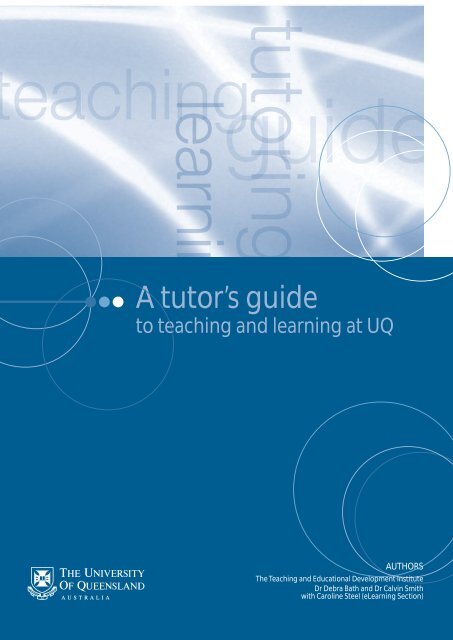
A tutor’s guide to teaching
and learning at UQ
,
Bath, Smith & Steel, 2019
In looking for materials to teach university tutors, I came across "A tutor’s guide to teaching and learning at UQ" (Bath, Smith & Steel, 2019). This is a detailed 68 page document from the University of Queensland's Institute for Teaching and Learning Innovation, intended to be read alongside the training offered to UQ tutors. It starts with responsibilities of a tutor, then addresses fears and concerns, preparation and planning. Then there is a chapter on how students learn, emphasizing that just telling students is not very effect, you have to get them to do something. The next chapter is "Effective small group teaching and learning". This is then followed by assessment, evaluation, and resources.

The emphasis in this guide is on small small group teaching (with mention made of classes of 16 students). The assumption is that the tutor works alone with a class, making up their own lessons. However, students are increasingly instructed in large groups, with a team of instructors, following a pre-designed lesson plan. Even where the tutor is on their own, they need to follow what the student is being asked to learn and do, in the course notes, lectures, videos and other instruction.

As a student myself, and as a tutor, a major frustration, and source of confusion has been when the tutor doesn't know what is going on in the rest of the course, so doesn't know how to support the students. As a tutor, on occasion, I have asked the students what was said in lectures. This can be a useful way to see what students have retained, and what misunderstanding there have been, but often it is because I really don't know what they were told.

I suggest tutors need to be trained to work collaboratively, with fellow tutors and the course supervisor. It is not be enough for the tutor to sit back and wait for this collaboration to happen, as many supervisors are too busy to organize it, don't understand the importance of this, or how to do it.

Sunday, April 6, 2014

New Australian Higher Education and Research Buildings

Australia appears to have faith in the financial viability of higher education, judging by the new buildings featured in Architecture Australia (AA) and Architectural Review Asia Pacific (ARAP). AA March/April 2014 features the Science and Engineering Building by Sinclair Knight Merz at Federation University Australia (previously University of Ballarat), the Cairns Institute by Woods Bagot at James Cook University and the Doherty Institute, University of Melbourne, UTS Broadway by Denton Corker Marshall for University of Technology Sydney, the Braggs Building by BVN Donivin Hill for University of Adelaide and the Translational Research Institute by Wilson Architects and Donovin Hill for University of Queensland and Queensland University of Technology.

While impressive looking buildings from the outside, they don't appear that innovative on the inside. Perhaps constrained by the conservative ideas of the clients, the building have traditional looking labs and teaching rooms. The Cairns Institute has what is called an "Interactive Lecture Theatre", but this turns out to just have fixed benches and ordinary chairs, much like the ANU Design Unit style of lecture theatre for the Australian National University fifty years ago.

How these buildings will adapt to the new research and educational environment, where most activities will be carried out online, is not clear. Within five to ten years the typical student will never need to visit a campus. A few students using specialised equipment may need to visit a campus for a few days a year. If the Australian economy is to prosper, researchers will similarly need to be pushed out into industry, corporations and government (the so-called Cambridge Phenomenon). There is little value in researchers sitting in an ivory tower, no matter how prettily these are now clad in shimmering steel. There will still be a need for administration and support staff to run universities, but as with the students and researchers, there will be no compelling reason for them to be in a big building at a campus.

Perhaps the best view of the future of the university campus is QUT Science and Engineering Centre. This has a gym, swimming pool, food court and children's educational centre. Less obvious are places for groups of students to study, tutorial rooms, lecture theatres and administrative offices.