Showing posts with label Zoom Video Conferencing. Show all posts
Showing posts with label Zoom Video Conferencing. Show all posts
Thursday, April 30, 2020
Blackboard Collaborate Only Works Half the Time
This week I am attending about six video conferences a day. Most are with Zoom, a few with Blackboard Collaborate. About nine out ten of the Zoom meetings work, but only about half the BB ones. Even when it does connect, there are problems with sound dropouts using BB. Also BB only seems to work for me with screen-sharing and audio. When it does work, BB is reasonably efficient requiring 70 Kbps download and 50 Kbps upload, which is better than Zoom without video. But I can't get video to work with BB at all. It may be that my wireless link is too slow, or too high latency, but whatever reason BB is not a viable product for me.

Tuesday, March 24, 2020
Use Recorded Videos and Small Online Tutorials
It is time for lecturers to swallow our pride and accept the "sage on
the stage" is not that important to student learning. In place of large
live events, I suggest the flipped approach. Provide videos and other
materials for students to study in advance (you can provide quizzes to
help). Then have online tutorials for small groups. The lecturer can
record some short videos for them to use during the tutorials (I suggest
around 60 seconds each).
Video conference systems, such as Zoom, allow for hundreds of students to take part in an online interactive events (Webinar). During the event the class can be divided into smaller groups, to work on a task for a few minutes, then the class brought back togehter. This is an excellent teaching method, however, it places demands on the technology, and staff which may be too much due to the COVID-19 Coronavirus. There is likely to be very high utilization of videoconferencing, straining resources. Also large complex real-time events are harder to organize.
Video conference systems, such as Zoom, allow for hundreds of students to take part in an online interactive events (Webinar). During the event the class can be divided into smaller groups, to work on a task for a few minutes, then the class brought back togehter. This is an excellent teaching method, however, it places demands on the technology, and staff which may be too much due to the COVID-19 Coronavirus. There is likely to be very high utilization of videoconferencing, straining resources. Also large complex real-time events are harder to organize.
Friday, June 28, 2019
Zoom Videoconferencing for Low Bandwidth Links
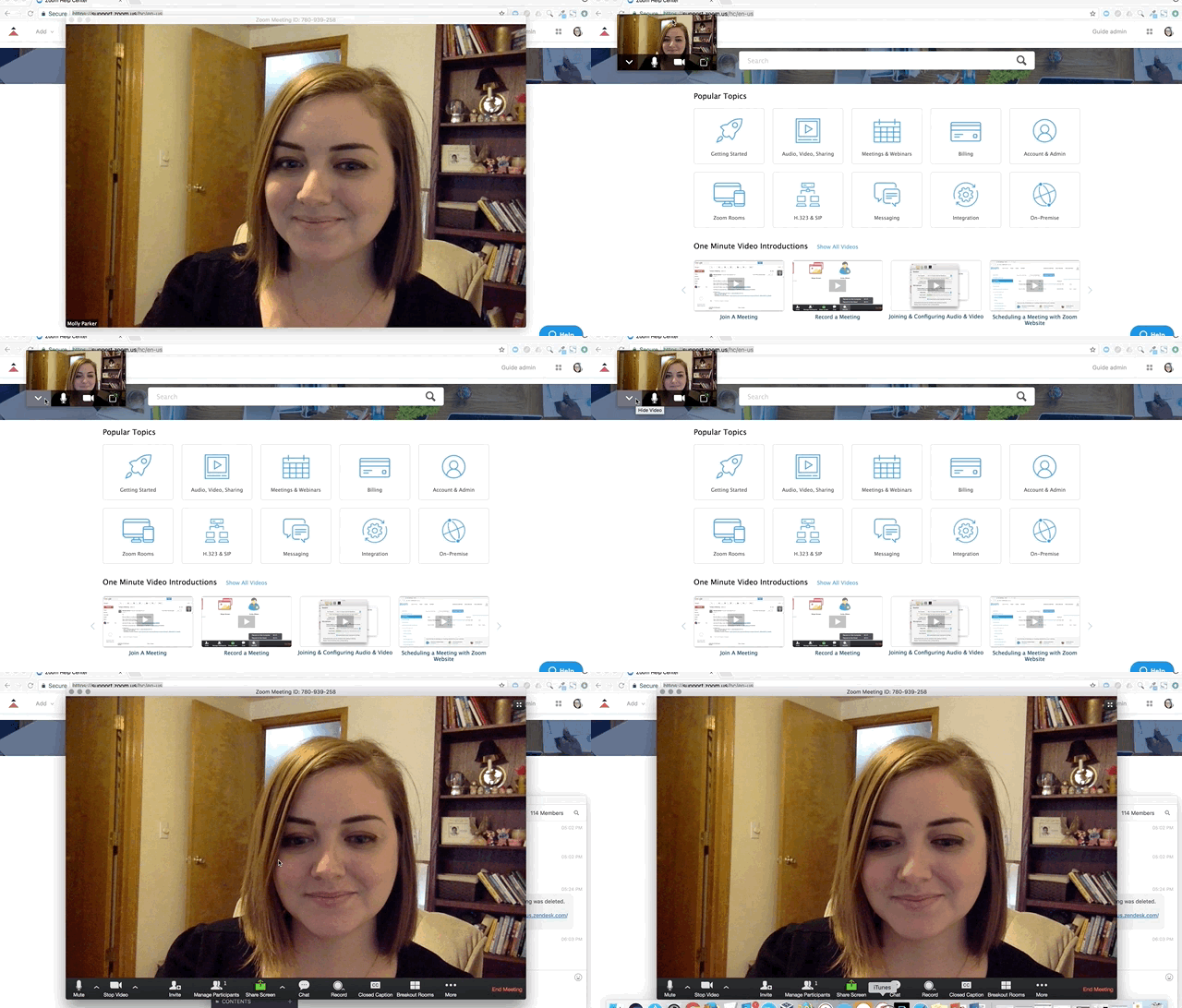 |
| Turning off received video in Zoom |
One option if you have a limited or unreliable Internet connection is to use a phone for audio. You can dial into the video conference, and use your phone for the audio, but use the Internet connection to see presentations, and text chat.
If you are presenting, then one approach I suggest is to have a picture of yourself on the first or second slide. This gives your audience something to look at if video is not working. Also you can email the slides to the organizer in advance and let them handle it. They can then send you control of the presentation, or it is not complex, and you are having Internet problems, let them changes the slides when you request it. This way you just need the audio working.
If you Internet connection is limited, you can minimize the Zoom video window, and hide the video. In a quick test I found this reduce data use to one tenth: from 1.5 Mbps, to about 150 Kbps. Most of the data traffic comes from displaying video of the norther participants on your screen.
Subscribe to:
Posts (Atom)