Showing posts with label telepresence. Show all posts

Wednesday, July 29, 2020

Twenty Dollar Telescopic Telepresence Robot for the COVID-safer Classroom

Telescopic Telepresence Robot
This is a smartphone running Zoom (or similar), on a tripod, which can be driven remotely across a classroom to collect student comments.

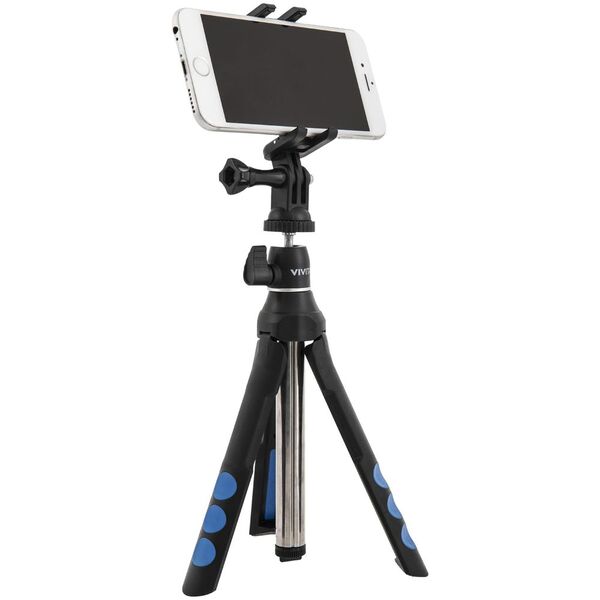
My Ten Dollar Telepresence Robot worked reasonably well, but the camera and microphone are at floor level. I tried installing a telescopic tripod on the car, but this was not stable. A larger remote control car could be used, but I did not have one to hand. So instead I attached small furniture castors to two legs of a $20 camera tripod, and the small remote control car to the third leg. The car acts as a prime over, pulling the tripod around as a trailer. Unfortunately the $10 car only has just sufficient torque to move with a lightweight smartphone on the tripod. The car is designed for speed, and a lower gearing ratio would work better, but the approach seems sound.

Ten Dollar Telepresence Robot for the COVID-Safer Classroom

Remote Control Toy Car
with Smartphone Attached
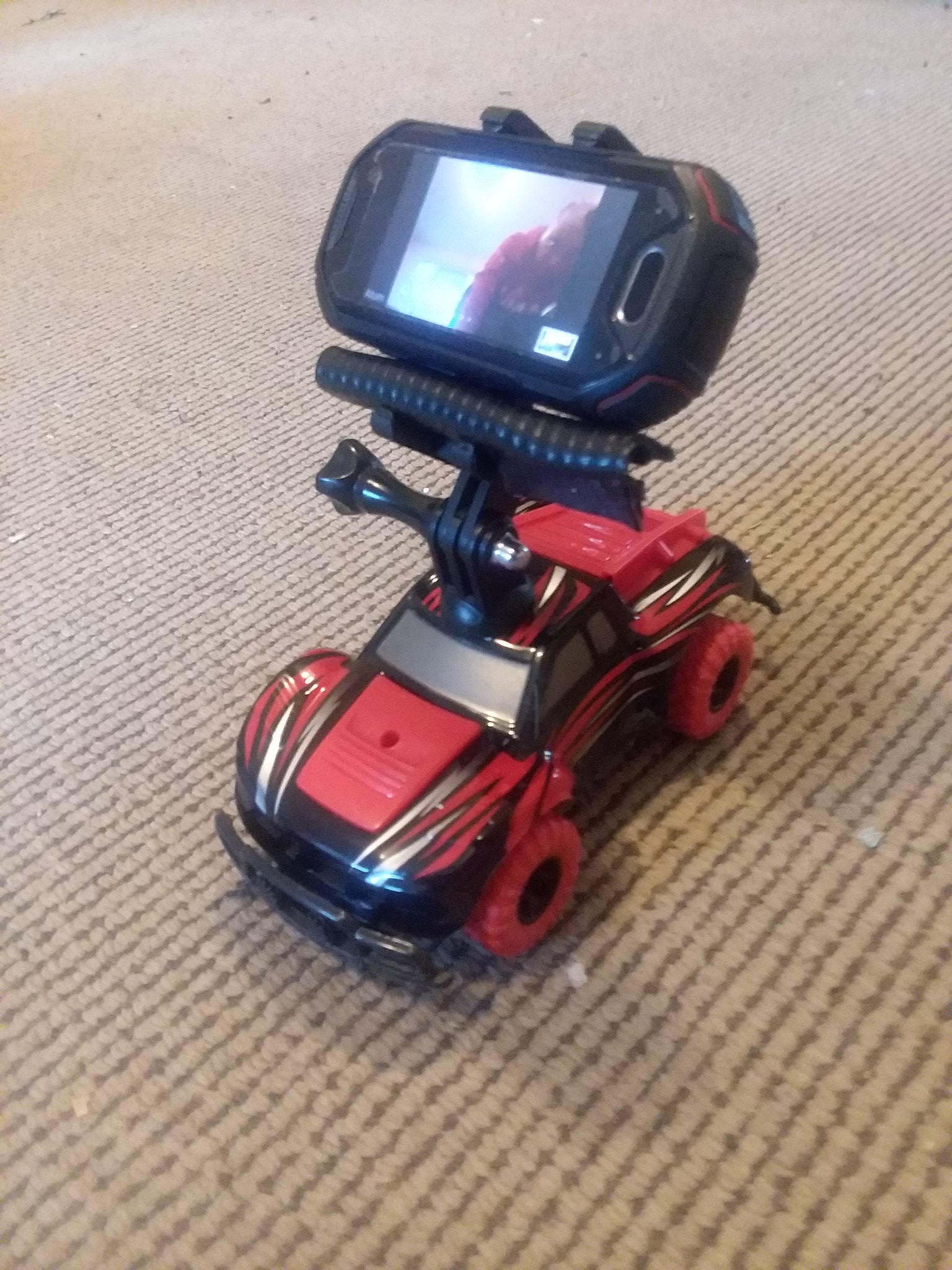
While I had built a foot operated Zoom station for the COVID safer classroom, this still required the student to walk up to it. I had built a Zoom safe selfie stick, but that required the operator to walk around the room. It would be better to have everyone seated in the classroom or meeting room. One option is to use a telepresence robot: a remote controlled camera, screen and microphone. However, these units are expensive and have more features than needed. Instead I attached a smart phone to a $10 remote control toy car.

There are toy cars with Bluetooth remote control, allowing them to be operated by someone via an Internet connection remotely. However, for my purposes a cheaper wireless control was sufficient. I unscrewed the roof of the toy car, drilled a hole, inserted a spare tripod screw which came with a tripod and reattached the roof. I then screwed a smart phone clamp to the car. The car can be driven around to where the person who wishes to speak is.

Small Tripod and Zoom Selfie Stick for COVID-safer Videos

To hold the camera for my foot operated video conference system I needed a tripod. Some web cameras have a standard screw for a tripod on their base, while smart phones and small tablets need a clamp. I found a Vivitar 7-in-1 Tripod at Officeworks for $20. This has the standard camera screw, plus a separate clamp for smartphones which screws to the tripod. 

The tripod is telescopic, making it small enough to fit in a coat pocket. The catch is that the spread of the legs is very small, making it not very stable when extended to full height, and it only extends to just over desk height, much shorter than a regular tripod. However, one advantage is that the legs can be folded and the unit used horizontally as a selfie-stick. The camera can be turned around pointing away so this could be used in a classroom, or a meeting room, with the operator standing a Covid-safer distance (1.5 m) away from the person being videoed.

Foot Operated Zoom COVID-Safer

Foot Operated Microphone
With a move back to campus I have been considering how technology to make for COVID-19 safer environment. One idea is a foot operated video conference: step up to the microphone, stand on the mat and you are on the air.

One example, is having blended meetings and classes. Some people can be in a room on campus, linked to others online. For this a large screen in the room will typically display the remote participants, as well as any shared presentation. In a small room a few microphones can pick up the local participants voices and relay this online. In a larger room this become difficult with out an extensive and expensive, A/V setup. One method used has been to hand a wireless microphone around the room, but that not advisable to to the risk of infection spread from the device.

In a flat floor classroom or meeting room, where there is sufficient space, a speaker would be able to step up to one of a number of strategically placed microphones.  But those not is use would need to be switched off. An approach I have tried out at home is to connect the microphone through a pressure may designed for burglar alarms.

I purchased a pressure mat for under $50 at a local store (Jaycar Electronics) and wired this in series to a microphone plug and socket (another $10). Pressure applied to the mat closes the circuit and connects the microphone.

One simple way to use this is plugged into a smart phone or small tablet: step on the mat, talk and you appear on Zoom. This might also be useful for home office situations where you want a fail safe system.