One great advantage over earbuds is that the controls are not, touch sensitive, and can be located with touch. Unlike ear buds I can yank the SoundPEATS off with one hand, and stuff them in a pocket. A bonus is the SoundPEATS work very well for Zoom calls, being relatively inconspicuous from the front.
Saturday, March 9, 2024
SoundPEATS RunFree Lite Open Ear Headphones for Webinars
Thursday, September 15, 2022
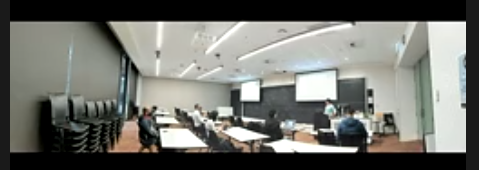
Wide Angle View of Hybrid Classroom
| Screenshot from AI, ML & Friends Seminar, |
Tuesday, July 26, 2022
Improvised Throw-able Microphone
![]() |
| Inserting microphone into soft toy, Photo by Tom Worthington, CC-BY 2022 |
ps: The soft toy is a "Boba Plush", from Toymate. I later obtained a Sheep toy from Kmart. This has a pouch n the underside for electronic to make a bleating sound, which I replaced with a microphone.
Monday, March 7, 2022
Students do not turn on their video cameras during online classes because learning is not synchronous
![]() |
| Frank R. Castelli, Cornell University |
The researchers analysed results of survey of 283 undergraduate US biology students. Of these 41% had their camera off some of the time due to concern about their appearance, 26% concerned about people in the background, and 22% having a weak internet connection. I suggest the last of these could be addressed by providing a low bandwidth video option, which maintains audio quality, but sacrifices video. A lower quality video, perhaps being cartoon like, might also help with the other concerns.
Castelli and Sarvary suggest not requiring camera use, but instead encourage it, with the instructor detailing why it is important for communication. They also suggest the use of active learning techniques. I suggest is good advice: if you are providing a boring old fashioned one way lecture, the students might as well be watching a recorded video.
More significantly, the authors also suggest allowing students to provide input by polling, discussion boards, shared documents, and the text chat feature in the video conference system. I suggest these options need special attention, as they challenge the idea that a video conference is best for learning, as it emulates a face to face classroom.
I challenged the assumption that videoconferencing provides synchronous learning in a 2013 paper, arguing that neither face to face or video conference provide "synchronous" learning, nor is this best. Just because students are hearing and seeing the save thing at approximately the same time, they are not necessarily learning that. The approach I suggested was "synchronized", where occasionally the instructor checks where the students are up to. Tools such as polling, discussion boards, shared documents, and the text chat feature in the video conference system exhibit these features.
In the case of polling, the instructor will usually give students a deadline by which to complete the poll, and at that time report the results. While they are completing the poll the students are studying asynchronously, on their own. At the deadline, the students synchronize with the instructor. The same approach is commonly used with discussion boards, shared documents, and text chat. Students submit their contribution up to a deadline, then the contributions are summarized.
Rather than see students not wishing to appear on video as anomalous, and attempt this behavior, I suggest designing courses which assume asynchronous participation as the norm, and synchronous as an occasional adjunct.
Reference
Castelli, F. R., & Sarvary, M. A. (2021). Why students do not turn on their video cameras during online classes and an equitable and inclusive plan to encourage them to do so. Ecology and Evolution, 11(8), 3565-3576. https://doi.org/10.1002/ece3.7123
Worthington, T. (2013, April). Synchronizing asynchronous learning-Combining synchronous and asynchronous techniques. In 2013 8th International Conference on Computer Science & Education (pp. 618-621). IEEE. https://doi.org/10.1109/ICCSE.2013.6553983 |
Sunday, September 26, 2021
Stop Glasses Reflecting Screen During Video Conference
1. Polarizing Filter
An LCD screen uses polarized light to produce images. So a polarized filter over the web camera can block reflections from the screen. The clip-on lens kit I purchased has a polarizing filter, but this was not designed to be used in conjunction with the zoom lens. So I unscrewed the ring holding the polarizing filter in place and inserted it in under the zoom lens. This greatly reduces reflections. Those using DSLR cameras as web cameras will be able to purchase polarizing filters for these.
2. Custom Spectacles
3. Dark Theme
In addition, I have found that a dark theme on the computer desktop helps. This has a black background with white text, so the screen emits much less light. How this is set varies between operating systems, and browsers.
Zoom will go to dark theme, when this is set in the Microsoft Windows, or Apple OS operating systems. However, this doesn't happen with Linux (which I use), or with Android. I have suggested Zoom fix this. It could be rectified by having Zoom follow the operating system theme, or if that is not possible, add a manual setting. Or, Zoom could simply decide to make a dark theme the default for the Android and Linux versions.
Saturday, July 17, 2021
Virtual Graduation Cermonies
![]() | |
| CECS graduates contest (video), ANU 2021 |
![]() |
| Standing in front of green screen |
There are, of course, reputation risks with virtual graduations. If the video was made widely available, Eric worried some student would paste me into a war zone or zombie attack. But then when working at the Department of Defence I helped prepare for the end of the world on 1 January 2000, not unlike a zombie attack. Also in a borrowed uniform I went on an exercise with the US Navy and so would not look out of place in a war zone.
What worried me more is the possibility of a non-graduate using the video to help build evidence around a fake degree. The ANU is one of a few universities which now issue digital certificates to graduates and has an online facility to check if someone actually graduated.
There are technical ways to counter fake photos, for example, applying a digital signature to the images and video. As it happens Dr Sabrina Caldwell, is an expert in detecting fake photographs and is on the JPEG committee.
Universities should be cautious about using "security by obscurity". Placing a photo online and then telling hundreds of people the web address is not a good form of security.
Tuesday, July 6, 2021
$13 Green Screen for Video Conferences
To get a better Zoom virtual background, I purchased a 2 x 3 m photographic backdrop sheet, online for $12.99 (including postage). This is chroma key green colored, almost the same as the $4 sheet of apple green cloth I purchased from a local store. The professional cloth has the advantage that it is twice the width and so when hung landscape mode is the right size for a video conference backdrop.
The sheet came with four clips and wall anchors to hang it. I used the clips to secure the sheet over a freestanding folding room divider. about 150 mm behind my chair. With the ends of the screen curved in slightly on each side, this fills the view from my screen mounted web camera.
The sheet requires even soft light. Direct sunlight, or a spotlight will cause bright patches, and shadows which the virtual background setting can't handle. I was a little disappointed that the sheet did not have a loop sewn in one side so a pole could be passed though it, as depicted in advertisement. A bed sheet with a sewn edge, which a pole can be threaded through to hang it, might be a better option.
There are many types of Chroma key color cloth offered for sale online. Check the size, as these tend to be advertised showing the larger 2 x 3 m sheet I purchased, but with the price of a smaller 1 x 1.6 m option. Also the sheets are shown on specially designed stands held with clips. However the stands are not normally included in the price and the clips may not be either.
Wednesday, June 23, 2021
Low Cost Lapel Microphone for Webinars
![]() |
| Lapel Microphone with Earphone Jack |
![]() |
Lavalier Microphone |
![]() |
| Headset Splitter Adapter |
Saturday, May 22, 2021
Microsoft Teams Meetings on the Move
For the last year and a half Zoom has been my go-to video conferencing application. But some organisations prefer Microsoft Teams. The biggest problem I have found with Teams is security: it is too good. For those who use Teams with just one organisation that is fine, but I have difficulty moving from one Microsoft account to another. I log out of the Microsoft account at one organisation to log into another, but Microsoft logs me straight back into the same one. So far I have found no solution to this problem.
Something which does work well is Teams on a smart phone, but this takes a little more effort than Zoom. In Zoom, you can activate "Safe Driving Mode", which mutes the microphone and video, so you will not be distracted. This has the added benefit of greatly reducing the data use, as video is not transmitted to the phone. I haven't found a similar mode in Teams, but outgoing audio and video is muted by default (remember to provide a profile photo, to give people something to look at). There is also an option to turn off incoming video (something I have not found on Zoom).
Even with incoming video turned off, you will still see presentation slides in Teams. I found this reduces bandwidth use to about 90 kbps. But for driving you don't want this distraction. What I do is put the text chat on screen. That is usually less dynamic and after a minute my phone blanks the screen anyway, just leaving the audio. This also reduces the data use to about 7 kbps. It also helps to put the audio through the car speakers, so the sound is not coming from the phone.
It may seem odd, to want to attend a video conference with no video, no presentation visuals, and only one way audio, but it can be liberating. Because you can't see anything and can't respond, you have to listen to what is being said. You have to make a mental note of anything to respond to later.
ps: Another option for an audio only conference is to dial in by phone. Zoom supports this, with the app able to dial your phone for you, and insert the meeting, access code, and password. Teams goes one further and will call you. However, those organizing the conference have to enable these features. The last Zoom conference I attended did not have the password included for dial-in and the last Teams meeting would not call Australian phone numbers.
Thursday, June 25, 2020
Wireless Headset Helps with Video Conferences
![]() |
| Video conferencing with a Jabra Talk 5 Earpiece and ANU CECS Beanie |
![]() |
| With a USB Wired Headset |
![]() |
| Jabra Talk 5 Bluetooth earpiece |
The earpiece is comfortable, the sound is okay, but not as high quality as the headphones. The wireless range is adequate for my apartment. Also handy is that I can wear the earpiece with the ANU CECS beanie I received this-morning. ;-)
There are wireless headsets available for about one third the cost of the Jabra, but they have a much shorter talk time, and would not get me through the day.
There are a few glitches: it is difficult to pair the Jabra with more than one device. When I pair it with my phone, I then have difficulty repairing with the laptop. Also it is difficult to mute the microphone and be assured this as been done. The Talk 5 is the bottom of the Jabra range and there are units with more features, but it is adequate for my purposes.
Tuesday, April 7, 2020
Reflections on Peer Review of Teaching for Promotion
Professor Crisp discussed the different forms of peer review (summative and formative) and their different uses (for promotion/awards, or for improving teaching quality).They then described the UNSW Summative Peer Review of Teaching. The UNSW website is very useful, having a description of the process and a set of downloadable templates.
The webinar is via Blackboard Collaborate, due to the the COVID-19 Coronavirus. I could not get it to work with Firefox, but it is working with Chrome. However, the audio quality is much poorer than with Zoom, when using the same connection speed (and this is with my not transmitting any video or audio, just receiving). With Blackboard the audio would break up, stop and then proceed at higher than normal speed. A positive point was that the text chat form worked much better than Zoom.
Sunday, March 1, 2020
Cheap Low Resolution Webcam Better than High Resolution
![]() |
| Logitech C170 Webcam |
I have a couple of Logitech web cameras, which I have been loaning out to colleagues for teaching online, over the last few days. These are not as high resolution as newer cameras, but that can be an advantage. You don't need very high definition video for online teaching. I suggest not producing video for online delivery at more than 1280×720 pixels (standard HD). A webcam for that will cost about $AU60.
Thursday, February 6, 2020
Live Video for Tutorials and Laboratory Sessions Remotely
These tools do much the same thing. You use a web browser, or downloaded app to send live video from a web camera, and whatever is on your computer screen to students. The students can use a text chat window to reply. There can also be quizzes. All of this can be recorded for later replay. Students can also talk, be seen, and perhaps send what is on their screen, but that gets complicated), especially for large classes. You will want to at least have a moderator to look after the chat, while someone else does the talking.
I suggest using these synchronous tools sparingly, as a supplement to asynchronous online learning. That is, students should be able to watch a recorded video, read some notes, do some sort of exercise step, by step, in their own time. There can then be some synchronous (real-time) activities to help them.
What also helps are activities to connect students to each other online and carefully worded announcements from staff, to the class, to give the sense someone is out there. This is all part of the conventional approach developed for distance education over the last few decades.
The "Learning to Reflect" module I designed is an example of this approach. The students read the notes, watch the videos, do the quizzes, post to forums, and reply to other students, before the live part. The student gets all the notes at the start of the course. There are also suggested regular posts for the tutor.


/2014/04/09/97612e8c-a863-4186-931a-7b25c31f6f86/41mn1VGNZDL.jpg)